Your First CRM Pipeline: Complete Setup Guide for FableForge/HighLevel
You know that feeling when someone emails you about working together, and three weeks later you find their message buried under 847 other emails, and now you're too embarrassed to reply because what kind of "professional" takes three weeks to respond to a potential client?
Or when you have that amazing discovery call with someone, they say they need to "think about it," and then... radio silence. Did they decide? Are they still thinking? Should you follow up? When? With what?
Your brain starts the anxiety spiral: Maybe they hated the call. Maybe my pricing was too high. Maybe I came across as desperate...
Here's what you actually need: a system that tracks where everyone is in their relationship with your business so you never have to wonder "Wait, did I follow up with Sarah?" or feel that gut-punch of realizing someone fell through the cracks.
That system is a CRM pipeline. And today, I'm going to show you exactly how to set up your first one in FableForge (built on HighLevel) — step by step with no assumptions about what you already know.
What Is a CRM Pipeline (And Why Should You Care)?
CRM stands for Customer Relationship Management, but let's call it what it really is: your 2nd brain for client relationships.
A pipeline is a visual roadmap that shows you exactly where someone is in their journey with your business. Instead of wondering "What do I do next with this person?" you look at their pipeline stage and immediately know.
Think of it like a GPS for relationships:
GPS tells you: "You are here, your destination is there, take this next step"
Pipeline tells you: "This person is here in your process, they're moving toward becoming a client, here's the next step"
For entrepreneurs who think differently, pipelines become:
External working memory for relationship details
Decision-making support ("What should I do next with this person?")
Anxiety reduction through clear visual clarity of where everyone is
Professional confidence when someone asks "Where are we in the process?"
Follow-up prompts that feel less pushy because the system tells you when to reach out
Why "Just Use Your Email Inbox" Is Terrible Advice
Let me challenge some common brain gremlins that can hold you back:
"I can track everything in my email inbox."
This works fine when you have 3 clients. It becomes a nightmare when you have 30 people in various stages of your process. Your inbox shows you when someone last contacted you, not where they are in their journey with you.
"I have a good memory, I can just remember all this stuff."
No, they don't. Professional entrepreneurs use systems to track relationships so their brain can focus on strategy, creativity, and actually serving clients — not playing filing cabinet.
"CRMs are only for big companies with huge sales teams. I don’t need to invest in one yet."
Actually, solo entrepreneurs and small teams benefit most from CRMs because we're wearing all the hats. We need external structure more than anyone.
Here's the truth: Your brain is designed to recognize patterns and solve complex problems — not to be a filing cabinet for client details. Give it the external structure it needs, and watch how much easier it becomes to build relationships without the constant anxiety of "Am I forgetting someone?"
The Foundation: Your Lifecycle Pipeline
Before we dive into setup, you need to understand what we're building and why this specific pipeline comes first.
Your Lifecycle Pipeline is your master relationship tracker. It answers one fundamental question: "What's this person's overall relationship status with my business?"
Everyone who interacts with your business gets categorized into one of these stages. This isn't about a specific sales process (that comes later with sales pipelines that track progress through a specific product/service).
This is about the big picture: Who is this person to your business?
The 8 Lifecycle Stages Explained
Here are the stages you'll set up, from first contact to biggest fan (or exit):
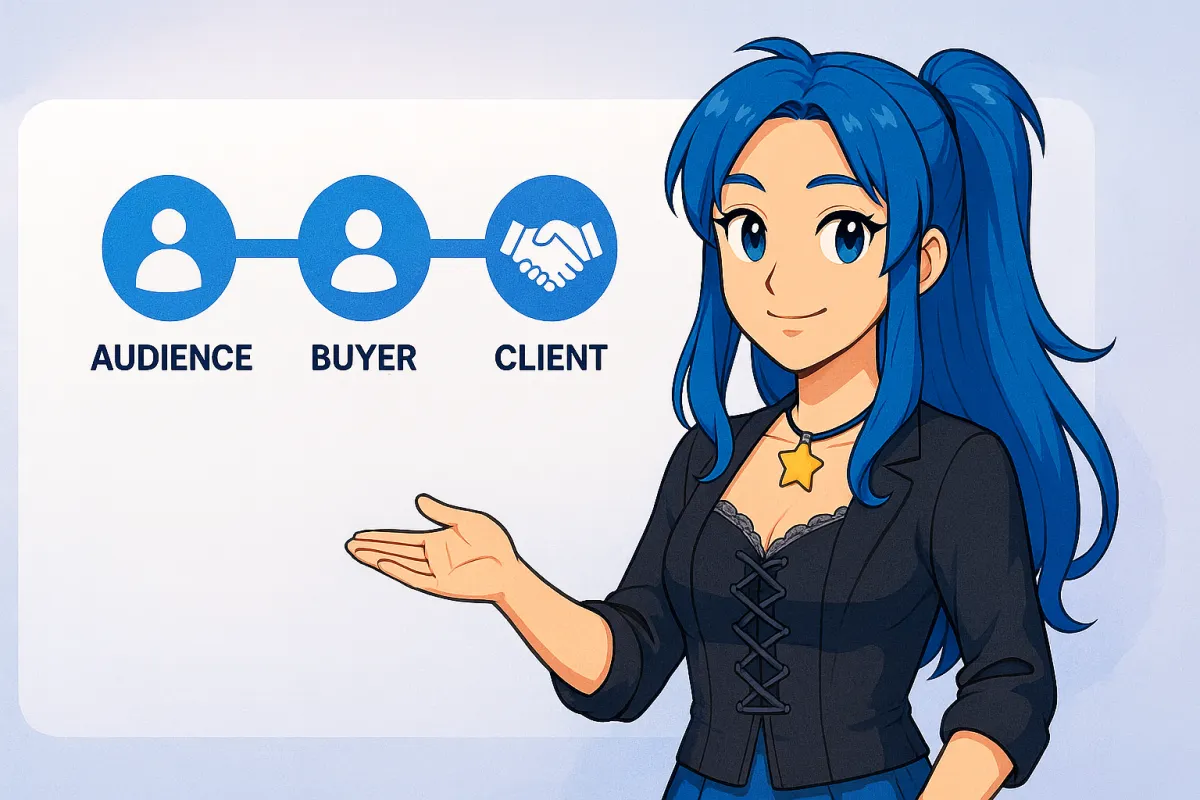
1. Audience — You have their contact information and permission to reach them
Newsletter subscribers
Lead magnet downloads
Webinar attendees
Free community members
They haven't purchased anything yet, but you can contact them
2. Buyer — They've purchased a low-support something from you
Low-ticket products ($7-$97 range)
Self-paced courses
Templates or digital downloads
One-time purchases
Not a formal client yet, but they've invested money with you and the relationship shifts
3. Sales Lead — They're actively interested in working with you at a higher level
Booked a discovery/curiosity call
Filled out an application
DMing you about services
Met you at networking event and expressed interest in buying/hiring your company
Haven't purchased yet, but they're in active conversation
4. Active Client — They're currently enrolled in a program or receiving services
Hired you for coaching/consulting
Enrolled in group program
Working together on a project
This is higher-touch, more substantial than just "Buyer"
The distinction: Buyers purchased something simple; Active Clients are working with you
5. Graduate — They've completed a structured program or service agreement
Finished 12-week coaching program
Completed website build project
Graduated from group program
The working relationship has officially ended (in a good way)
6. Supporter — They'll promote you when asked
Will give testimonials when requested
Happy to provide introductions
Respond positively when you ask for support
They liked working with you and will say so
7. Advocate — They actively promote you without prompting
Sending referrals your way regularly
Tagging you in social media posts
Telling everyone about you unprompted
These are your raving fans who do your marketing for you
8. Churned — The relationship has ended (for any reason)
Canceled subscription
Asked for refund
Unsubscribed from newsletter
Decided not to move forward
Not a fit for your services
Why This Pipeline Comes First
You might be tempted to jump straight to creating sales pipelines for your different offers. Don't.
Here's why Lifecycle comes first:
It's your foundation. Everyone in your business gets categorized here, regardless of what they've bought or what sales process they're in.
It reduces decision fatigue. One master tracker prevents the "Where do they fit?" paralysis.
It gives you business clarity. You can see at a glance: Do I mostly have Audience members? Buyers who never become clients? A healthy mix?
It prevents people from falling through cracks. When someone doesn't fit a specific sales pipeline, they still exist in your Lifecycle — you never lose track of them.
Think of it this way: Lifecycle Pipeline is like knowing what city someone lives in (the big picture). Sales pipelines are like knowing the specific route they're taking to the grocery store (a specific journey). You need the big picture first.
Your Emoji Organization System (Game-Changer Alert)
Before we start building, I want to teach you an organizational trick that will make managing your pipeline so much easier.
Use emojis in your stage names to indicate how people move into that stage:
🤖 Robot emoji = This stage gets filled automatically via automation
✍️ Hand/pencil emoji = You manually move people into this stage
🤖✍️ Both = Could be either automated or manual depending on the situation
This visual system helps you know at a glance: "Do I need to remember to move people here, or does my automation handle it?"
For example:
🤖 Audience (automated when they fill out form)
🤖 Buyer (automated when they purchase a low-support offer)
🤖✍️ Sales Lead (automated for call bookings, manual for DM conversations)
✍️ Active Client (you manually move them after they officially start)
You'll see exactly how to use this in the setup steps below.
Step-by-Step: Setting Up Your Lifecycle Pipeline in FableForge
Alright, let's actually build this thing. Block ~20 minutes to complete this setup and add your current contacts. You've got this!
Quick Note: FableForge is built on HighLevel, so if you have either one, these instructions will work for you.
Step 1: Navigate to Pipelines
Log in to your FableForge account at app.fableforgesuite.com (if you don’t have an account yet, you can sign up at https://fableforgesuite.com/join)
Look for the Opportunities tab in your left sidebar navigation
Click on Opportunities to expand the menu
Click on Pipelines
You'll see a screen showing any existing pipelines you have (if this is brand new, it might be empty — that's perfect).
Step 2: Create Your New Pipeline
Look for the New Pipeline button (in the top right area of the screen)
Click New Pipeline
A form will appear asking you for details about your new pipeline.
Step 3: Name Your Pipeline
In the pipeline name field, type: Lifecycle Management Pipeline
(You can name it whatever makes sense to you, but this name clearly indicates what it tracks — your overall relationship lifecycle with contacts.)
Step 4: Add Your 8 Stages
Now you'll see fields to add your stages. This is where you'll create the 8 lifecycle stages we discussed earlier. You can click Add Stage in the top right of the pop-up window to add additional stages. Remember: Stages are just the steps people move through or the categories you're grouping people into.
As you add stages, you'll see two checkboxes:
☑️ Include in funnel chart
☑️ Include in stage distribution
Leave both of these checked unless you have a specific reason not to.
These checkboxes allow your pipeline data to show up on your default dashboard, so you can quickly see how many people are in each stage without clicking into the pipeline. It's a helpful at-a-glance view of your business health.
Add each stage with the appropriate emoji:
Stage 1: 🤖 Audience
Stage 2: 🤖 Buyer
Stage 3: 🤖✍️ Sales Lead
Stage 4: ✍️ Active Client
Stage 5: ✍️ Graduate
Stage 6: ✍️ Supporter
Stage 7: ✍️ Advocate
Stage 8: ✍️ Churned
To add the emojis:
You can copy/paste from the list above, or…
On Mac: Press Control + Command + Space bar to open emoji picker
On Windows: Press Windows key + . (period) to open emoji picker
You can add more stages later if you need them, but these 8 cover the fundamental relationship lifecycle for most businesses. Remember, this pipeline is intentionally broad, so simple is better. Only add more stages if seeing that segment of people has real value to your business.
Step 5: Create Your Pipeline
Once you've:
Named your pipeline
Added all 8 stages with emojis
Confirmed the checkboxes are checked
Click the Create button.
Congratulations! You just created your first CRM pipeline. 🎉
But we're not done yet — an empty pipeline doesn't help anyone. Now we need to fill it with actual people.
Adding Contacts to Your Lifecycle Pipeline
Now comes the part where this becomes useful: categorizing the people you already know into the appropriate lifecycle stages.
How to Add Contacts
Option 1: Add them as you think of them
Go to your Contacts tab (in your left sidebar)
Click on the person's name to open their contact record
Scroll down to find the Opportunities section
Click Add to Pipeline
Select "Lifecycle Management Pipeline"
Choose the appropriate stage for where they currently are
Click Save
Option 2: Create opportunities in bulk (if you have a list)
You can import contacts with their lifecycle stage assigned
You can use automations to assign stages based on tags or other criteria
We'll cover this in future tutorials — for now, start with Option 1 for your key contacts
Decision Framework: Who Goes Where?
Here's how to decide which stage someone belongs in. When in doubt, choose the earlier stage — you can always move them forward later.
Audience — Anyone you have permission to contact but hasn't purchased
Newsletter subscribers
Downloaded your freebie
Attended your free workshop
Joined your free community
You met them but they haven't bought anything yet
Buyer — Anyone who purchased a simple, low-support product
Bought your $27 ebook
Purchased your $97 mini-course
Downloaded your paid template
One-time transaction, not ongoing relationship
Sales Lead — Anyone actively in conversation about working with you
Booked a call to talk with you about buying
Submitted application for your program
DMing you about services
You met at an event and they expressed serious interest in purchasing
They're considering but haven't purchased a higher-support product/service yet
Active Client — Anyone currently enrolled in a program or receiving services
Hired you for 1:1 coaching
Enrolled in your group program
You're building their website
Currently working together on something substantial
Graduate — Anyone who completed a structured program/service
Finished your 12-week program
You completed their website and it launched
Coaching engagement ended
The work is complete (in a good way)
Supporter — Anyone who will promote you when asked
Has given you a testimonial
Refers people when you ask
Responds positively to "Can you share this?"
Happy customer who will vouch for you
Advocate — Anyone actively promoting you without prompting
Sends referrals regularly without you asking
Tags you in social posts unprompted
Tells everyone about you
These are your raving fans
Churned — Anyone who exited the relationship
Requested refund
Canceled subscription
Unsubscribed from newsletter
You declined to work with them
They ghosted after being a lead
What If Someone Fits Multiple Categories?
Great question! Here's the rule: Use the most advanced stage that applies.
Examples:
Someone who bought your $47 course AND is currently in your group program = Active Client (not Buyer)
Someone who graduated your program AND actively refers people = Advocate (not Graduate)
Someone who was an Active Client but canceled = Churned (they exit back to the end)
The Lifecycle Pipeline shows their current relationship status, not their history. (That's what tags are for, which we'll cover in a moment.)
Your First Assignment: Add These People
Start with the people easiest to categorize:
Your current clients (Active Client)
People you've worked with in the past (Graduate)
Anyone who's given you a testimonial (Supporter or Advocate)
Anyone with a call scheduled (Sales Lead)
Your newsletter subscribers (Audience)
Don't overthink it. You can adjust later as relationships evolve. The goal is to get people into the system so you stop tracking them in your head.
How People Move Through Your Lifecycle Pipeline
Unlike sales pipelines (which are linear — people move forward step by step), Lifecycle Pipelines are non-linear. People can jump around based on their evolving relationship with you.
Common Movement Patterns:
Success Journey: Audience → Buyer → Sales Lead → Active Client → Graduate → Supporter → Advocate
Quick Buyer: Audience → Buyer (stays there unless they engage further)
Direct to Sales: Audience → Sales Lead → Active Client (skipped Buyer stage)
Backward Movement (it happens): Active Client → Churned (they canceled) Sales Lead → Churned (they decided not to move forward) Advocate → Churned (they unsubscribed from everything)
Re-engagement: Churned → Sales Lead (they came back months later wanting to work together) Graduate → Sales Lead (past client wants to work together again)
The beauty of this system is it accommodates the messy reality of how relationships actually work — not how we wish they worked.
When to Move People
Automated movements (if you've set up workflows to do this for you):
Form submission to subscribe to your newsletter → Audience
Purchase a low-support product like an ebook → Buyer
Call booking for interest in your services → Sales Lead
Contract signed → Active Client
Manual movements (you typically do these):
Program completion → Graduate
They give testimonial → Supporter
They send multiple referrals → Advocate
They cancel/refund → Churned
Any edge case your automation doesn't handle
Get in the habit of updating stages when something significant changes in the relationship. Don't wait weeks — update it when it happens. And if that’s not doable for you, then set a weekly reminder to update while it’s still top of mind.
The Cleanup Crew: Tags for Context
Your Lifecycle Pipeline shows where someone is. But what about how they got there or other important context?
That's what tags are for.
Tags capture the messy, non-linear details that don't fit neatly in pipeline stages:
Source Tags:
Facebook Ad
Instagram
Podcast Guest Appearance
Speaking Event
Referral from [Name]
SEO/Google
LinkedIn
Behavioral Tags:
VIP
Hot Lead
Called Cancelled
No-Show
Rescheduled 2x
Asked Great Questions
Price Shopper
History Tags:
Refunded 2023
Complained About X
Attended Workshop March
Beta Tester
Early Supporter
Why tags matter for entrepreneurs who think systematically:
Keep your pipeline stages clean and simple
Store context without cluttering the main view
Enable powerful reporting later ("How many no-shows eventually purchased?")
Accommodate reality that relationships are complex
You don't need to set up elaborate tag systems right now. Start simple:
Tag people with how you met them (source)
Tag people with relevant behavioral notes as they come up
Bonus Tip: You can use the notes section of the CRM to add additional context for what’s happening on each contact’s record.
Common Mistakes to Avoid
Mistake #1: Creating too many pipelines at once — You just set up your Lifecycle Pipeline. That's enough for now. Don't immediately create 5 sales pipelines for different offers. Master this foundation first, then add more complexity later.
Mistake #2: Not using the Lifecycle Pipeline at all — Some people skip straight to sales pipelines. Don't. Your Lifecycle Pipeline is where everyone lives, regardless of what sales process they're in. It's your safety net that prevents people from disappearing and helps you track “ghost leads” (people that sign up or buy simple things but never convert to bigger offers).
Mistake #3: Trying to make it perfect before using it — Your pipeline doesn't need to be perfect. It needs to be functional. Start using it today with the 8 stages we created. Adjust later only if needed.
Mistake #4: Not updating stages as relationships evolve — If someone moves from Audience to Sales Lead (they book a call), update their stage immediately. Don't let your pipeline get stale with outdated information. If immediate isn’t an option, then
Mistake #5: Overthinking which stage people belong in — When in doubt, choose the earlier stage. You can always move them forward later. The goal is to get people into the system, not achieve categorization perfection.
Mistake #6: Forgetting the emoji system — Those emojis save you mental energy. Don't skip them. They're a visual reminder of "Do I need to manually move people here or does my automation handle it?"
What's Next: Building on This Foundation
Now that you have your Lifecycle Pipeline set up, you can start building the rest of your CRM system:
Sales Pipelines:
Create specific pipelines for each offer/service
Track people moving through your sales processes
These work alongside your Lifecycle Pipeline
Automations:
Automatically move people to stages based on actions
Send follow-up emails based on pipeline stage
Create reminders for yourself to check in
Tags and Custom Fields (for more advanced tracking):
Capture detailed context about relationships
Store information that doesn't fit in pipeline stages
Enable sophisticated reporting and segmentation
But for now? Just use what you built today. Add people to your Lifecycle Pipeline as you think of them. Move them between stages as your relationships evolve. Check your pipeline weekly to see who might need a follow-up.
The Transformation This Creates
Before Lifecycle Pipeline:
"Wait, did I follow up with Sarah about that call?"
Finding emails three weeks late and feeling embarrassed
Not knowing who's where in your business
Anxiety about people falling through the cracks
Winging it with every relationship
Feeling unprofessional when you can't remember context
After Lifecycle Pipeline:
Crystal clear visibility of where everyone is
Confidence when someone asks "Where are we in the process?"
No more "did I already...?" anxiety
Professional, consistent relationship management
Peace of mind that no one falls through the cracks
Mental energy for actual client work instead of remembering details
Remember: You're 10 case studies away from everything changing. Those case studies are people sitting in your pipeline right now — maybe in Audience, maybe in Sales Lead, maybe already in Active Client.
Without this system, some of them will fall through the cracks. You'll forget to follow up. You'll lose opportunities because your mental inbox failed you.
With this system, you'll nurture every relationship appropriately. You'll know exactly when to reach out. You'll show up as the professional you actually are.
For example, you can set aside a block of time on Monday morning to review every contact in your Sales Lead stage of your Lifecycle Pipeline so you never forget to follow-up.
Your next case study might be sitting in "Sales Lead" right now, waiting for you to follow up. Now you'll know exactly who that is and what to do next.
Ready to Set This Up in Your Business?
The Lifecycle Pipeline you just learned to create is included in every FableForge account. If you're already using FableForge, log in right now and build this pipeline while the steps are fresh.
Not using FableForge yet? This is exactly the kind of integrated system that replaces your Frankenstein tech setup. Instead of trying to track clients across email, spreadsheets, and your mental inbox, everything lives in one place.
Start your FableForge trial today — $127/month for everything you need to run your business (CRM, email marketing, scheduling, course delivery, payments, and more). Cancel anytime.
Not sure if FableForge is right for you? Book a curiosity call and we'll walk through your specific situation to see if it's a fit.
Want to audit your current tech setup first? Take our free Tech Stack Audit to see where you might be over-paying or under-utilizing your current tools.
P.S. — If you're a current FableForge user and want help setting up your pipelines, we offer weekly office hours where you can get live support. We also have pre-built business snapshots that include complete pipeline systems you can import with one click. Join us at bpbizlab.com for ongoing support and community or submit a support ticket in your portal.